Chrome Enterprise Core

Modern enterprise work happens inside the browser. Chrome Enterprise Core empowers IT teams to secure, manage, and configure the Google Chrome browser across Windows, macOS, Linux, and ChromeOS from a single cloud-based console. Partner with Digicloud Africa’s certified network to gain full visibility into your enterprise browser environment, enforce compliance, and protect critical company data.
Chrome

PURPOSE

Bring cloud-based visibility and policy enforcement to the modern workplace interface

With SaaS platforms and cloud tools driving day-to-day business, the browser has effectively become the primary enterprise operating environment. However, unmanaged browsers introduce serious compliance blind spots, malicious extensions, and data loss risks. Chrome Enterprise Core provides an intuitive, cloud-first management layer that allows IT departments to deploy uniform policies, monitor extension security, and protect users across any desktop operating system – without requiring on-premises servers or extra licensing fees.

BENEFITS

Why Chrome Enterprise Core?

Simplify IT administration, mitigate web-based threats, and protect company intellectual property without impacting employee productivity.

Unified cross-platform management

Unified cross-platform management

Eliminate the hassle of maintaining separate Group Policy Objects (GPOs) or device-specific scripts. Manage Chrome browsers consistently across Windows, macOS, Linux, iOS, Android, and ChromeOS from one centralized Google Admin console.

Zero additional software cost

Zero additional software cost

Access enterprise-grade cloud browser management without adding software overhead to your budget. Chrome Enterprise Core is available at no extra charge, allowing you to maximise security ROI instantly.

Granular extension governance

Granular extension governance

Malicious or vulnerable extensions are a leading source of corporate credential theft. Gain full visibility into installed add-ons across your entire organisation, set automated approval workflows, and block high-risk permissions effortlessly.

Seamless zero-trust alignment

Seamless zero-trust alignment

Integrate with identity and context-aware access frameworks to ensure that access to sensitive corporate SaaS tools is restricted to compliant, managed browsers that satisfy your security criteria.

Expert setup backed by African partners

Expert setup backed by African partners

Rolling out browser policies across large, distributed workforces requires thoughtful change management and testing. Digicloud Africa’s certified partners guide you through pilot configurations, policy mapping, and seamless enrollment to keep your business running smoothly.

USES

Key features

Robust administrative controls engineered to secure enterprise browsing at scale.

Image

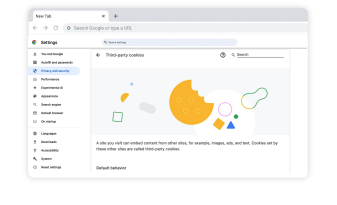
Enforce over 400 corporate policies across enrolled browsers – from forcing default search engines and managing bookmark bars to configuring auto-update schedules and proxy settings.

Centrally view every browser extension active in your environment. Whitelist approved business tools, blacklist unvetted add-ons, and block extensions that request dangerous device permissions.

Access detailed dashboards displaying Chrome versions, operating system distributions, and policy compliance across all endpoints to quickly spot outdated or unpatched browsers.

Prevent accidental leaks by blocking risky web categories, controlling print and download permissions, and restricting file uploads on unmanaged or personal web services.

Manage your browser estate alongside user accounts, Google Workspace services, and ChromeOS hardware within the same unified Google Admin console.

Export security and browsing telemetry directly into SIEM tools or Google Chronicle to detect suspicious downloads, phishing encounters, or malware attempts in real time.

Ready to get started?

Take control of your enterprise browser fleet today!

Ready to get started?

Resources