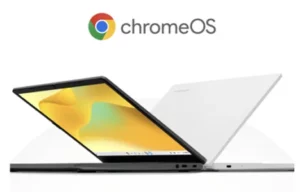
ChromeOS Flex
ChromeOS Flex is a version of ChromeOS that is made to modernise your school’s existing devices.

benefits
Upgrade your schools technology without breaking the budget. Transform your existing PCs and Macs into secure, easy-to-manage Chromebooks.

All your devices ““ PCs or Macs, new or old ““ can run on ChromeOS Flex for a unified teaching and learning experience. Download ChromeOS Flex for free and purchase Chrome Education Upgrade to unlock all the capabilities to easily manage your fleet at scale.
A cloud-based fleet enables automatic updates to happen in the background, freeing up your IT funds and staff time.

Extend the life and performance of your Macs and PCs alongside the Chromebooks you already own for a more sustainable fleet.
Run your fleet on the most energy-efficient cloud ““ Google’s data centers have been carbon neutral since 2007 and powered by 100% renewable energy since 2017. Don’t throw away your existing devices, revitalise them and reduce your amount of e-waste.

With most files stored in the cloud and less data stored on devices, theres a reduced threat of ransomware. Ransomware often hides in executable files like.bat or.exe ““ these executables cannot run on ChromeOS Flex which blocks any malicious apps.
With the Chrome Education Upgrade, you get advanced security features and visibility from your central Google Admin console.
uses
Save your devices and your budget with ChromeOS Flex.

Unify existing devices and new Chromebooks under Google’s simple and powerful cloud-based management system to reduce time spent maintaining multiple backend.
Create a more unified user experience when using any device in your fleet, and eliminate the struggle of switching between the interfaces of new Chromebooks and existing devices.
Explore related products, solutions and programmes.